Avis Cursor
Assistants de code IAAn AI-first code editor. Construit sur VS Code with deeply integrated capacites IA for generation de code, editing, and debogage.
Verdict de la rédaction
Cursor obtient une note de 4.4/5, ce qui en fait l'une des options les plus abouties dans la catégorie assistants de code ia. Son atout majeur — deeply integrated ai fonctionnalites with intuitif controls — le rend particulièrement précieux lorsque cette capacité est essentielle à votre workflow. Le principal compromis concerne syncing parametres with vs code can sometimes require extra effort, un point à peser face aux alternatives avant de vous engager. Comme le plan gratuit vous permet de valider l'adéquation sans risque, il y a très peu d'inconvénients à le tester au préalable.
Sommaire
Qu'est-ce que Cursor ?
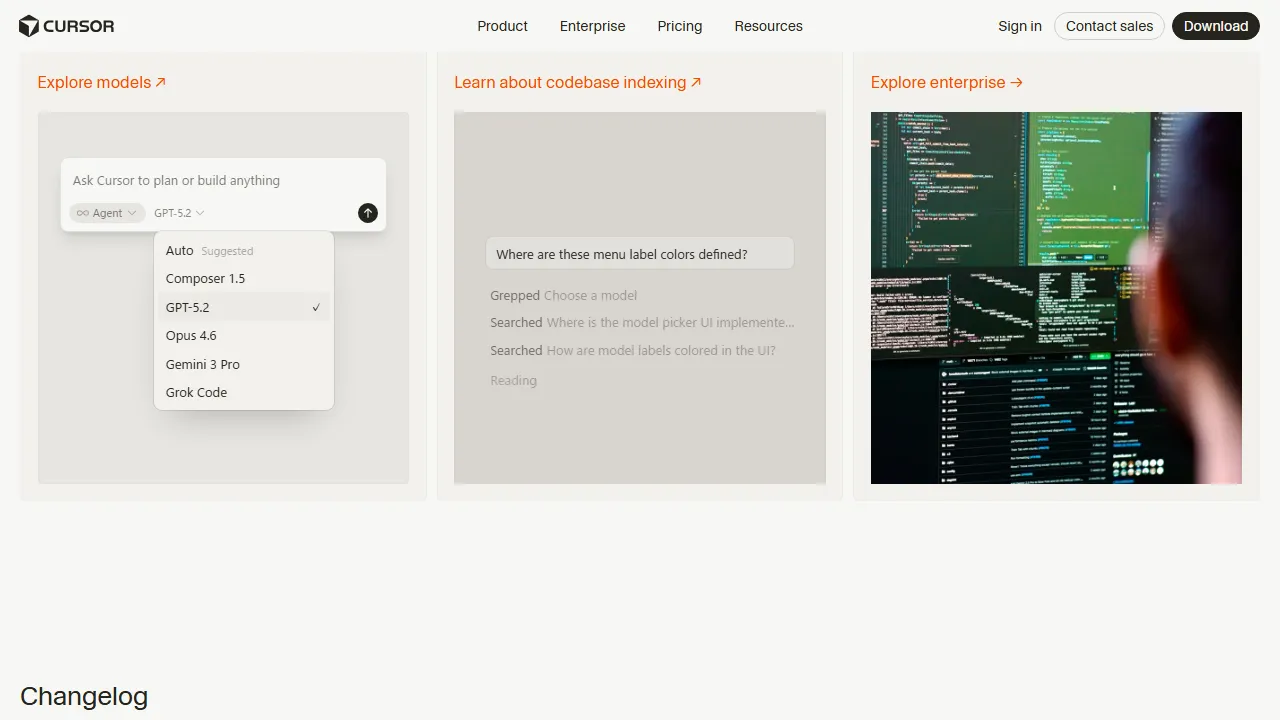
Cursor is a nouvelle generation code editor designed with AI at its core. Built as a fork of VS Code, it prend en charge all VS Code extensions and keybindings. It integrates AI interaction into the editor's core through fonctionnalites like Cmd+K (generation de code/editing), Cmd+L (chat), and Composer (simultaneous multi-file editing). A standout fonctionnalite is its context-aware suggestions that understand your entire codebase, automatically referencing related files across your project when generating code. You can switch between multiple modeles IA notamment Claude, GPT-4o, and Gemini.
À qui s'adresse Cursor ?
Cursor est particulièrement adapté à les développeurs, ingénieurs logiciels et équipes techniques qui souhaitent accélérer leur travail de codage et réduire le code répétitif. Son plan gratuit abaisse la barrière d'entrée, ce qui facilite son évaluation avant tout engagement. La richesse fonctionnelle (6+) — incluant Inline generation de code and editing with Cmd+K et AI chat with Cmd+L — signifie que vous avez rarement besoin de basculer vers un autre outil pour des tâches connexes. Les utilisateurs mettent fréquemment en avant un atout spécifique : deeply integrated ai fonctionnalites with intuitif controls.
Tarifs et rapport qualité-prix
Cursor propose les formules suivantes. Les prix reflètent les dernières informations disponibles au moment de l'évaluation et peuvent évoluer ; vérifiez toujours sur le site officiel avant d'acheter.
Fonctionnalités clés
Voici ce que Cursor propose, classé approximativement selon l'importance de chaque capacité dans l'expérience produit.
Avantages et inconvénients
Après avoir évalué Cursor face au reste du marché assistants de code ia, voici les compromis qui se sont distingués à l'usage quotidien.
Ce que nous avons aimé
- ●Deeply integrated AI fonctionnalites with intuitif controls
- ●Full compatibility with VS Code extensions
- ●Simultaneous AI editing of multiple files with Composer
- ●Context-aware suggestions that understand the entire codebase
- ●Switch between multiple modeles IA (Claude, GPT-4o, etc.)
Ce qui pourrait être amélioré
- ●Syncing parametres with VS Code can sometimes require extra effort
- ●Premium request quotas are limite
- ●Indexing can take time on large projects
Comment démarrer avec Cursor
Un parcours pratique en cinq étapes que nous recommandons à toute personne qui évalue Cursor pour la première fois — conçu pour minimiser le temps perdu et vous aider à décider rapidement.
1Créez un compte sur Cursor
Rendez-vous sur le site officiel de Cursor et créez un compte. Vous pouvez commencer avec le plan gratuit sans saisir de coordonnées bancaires, ce qui est idéal pour tester comment l'outil s'intègre à votre workflow.
2Configurez votre espace de travail
Installez l'application sur macos si un client natif est disponible, ou ouvrez-la simplement dans votre navigateur. Configurez les préférences de base comme la langue, les notifications et le style de sortie par défaut afin que les utilisations suivantes soient cohérentes.
3Réalisez votre première tâche avec Inline generation de code and editing with Cmd+K
Commencez par une tâche simple à faible enjeu pour comprendre comment Cursor réagit. Rédigez une requête claire, examinez le résultat et itérez. Cette exploration à faible risque est le moyen le plus rapide de développer votre intuition sur les points forts de l'outil.
4Intégrez-le à votre workflow quotidien
Une fois ses atouts identifiés, introduisez Cursor dans un workflow concret — pas dix. Remplacez une étape existante et mesurez le temps gagné ou la qualité obtenue sur une semaine avant d'élargir son utilisation.
5Passez à la formule supérieure en fonction de votre usage réel
Plutôt que de souscrire d'emblée à un plan supérieur, observez quelles limites vous atteignez réellement (nombre de messages, longueur des sorties, fonctions d'export). Ne montez en gamme que lorsqu'une limite précise bloque votre productivité, et non parce que le plan supérieur semble plus attractif sur le papier.
Meilleures alternatives à Cursor
Vous n'êtes pas certain que Cursor soit le bon choix ? Ces outils comparables de la catégorie assistants de code ia méritent d'être considérés selon vos priorités.
DSPy
Stanford NLP発のLLMパイプラインプログラミングフレームワーク。プロンプトの手動チューニングを排除し、プログラム的にLLMアプリケーションの最適化を自動で行う革新的ツール。
Offre une note éditoriale comparable. À privilégier si vous recherchez プロンプトエンジニアリングの手動作業を排除.
v0
Vercel's AI UI component generator. Instantly creates and previews React/Next.js UI components from natural language instructions.
Offre une note éditoriale comparable à un tarif plus élevé. À privilégier si vous recherchez generates production-quality ui from natural language.
Google Colab
Google's cloud-based Jupyter Notebook environment. Free GPU/TPU access makes it ideal for machine learning and data science experiments. Now features Gemini AI assistance.
Offre une note éditoriale comparable et un tarif d'entrée plus abordable. À privilégier si vous recherchez free gpu (t4) access.
Questions fréquentes
How does Cursor differ from VS Code?+
Cursor is construit sur VS Code with AI fonctionnalites deeply integrated into the editor's core. While VS Code extensions still work, AI interaction is much more naturally embedded.
Cursor est-il gratuit ?+
Oui, the Hobby plan offers 2,000 code completions and 50 chat messages par mois for free.
Lequel est meilleur, GitHub Copilot ou Cursor ?+
If you prefer to keep your existing editor, Copilot is the way to go. If you want to maximize capacites IA, Cursor is recommended. Cursor provides a more transparent AI interaction experience.
Prêt à essayer Cursor ?
Commencez avec le plan gratuit — sans carte bancaire requise.
Démarrer avec Cursor →Plus d'outils Assistants de code IA
GitHub Copilot
An AI assistant de codage co-developpe par GitHub and OpenAI. Provides en temps reel code autocompletion and generation directly in your editor.
Claude Code
A terminal-based AI agent de codage developpe par Anthropic. Understands your entire codebase and autonomously executes complex development tasks.
v0 by Vercel
AI UI component generator developpe par Vercel. Automatically generates React/Next.js-based UI components from text prompts.
Windsurf
AI-first code editor. Offers completion de code and interactive assistance with Copilot++.
Tabnine
Confidentialite-focused AI completion de code tool. Prend en charge on-premises deployment pour les entreprises.
Amazon CodeWhisperer (Q Developer)
AWS-powered AI assistant de codage. Excels at AWS integration and securite scanning.
Testé par : Équipe éditoriale AIpedia · Dernière mise à jour : 10 juillet 2026 · Méthodologie : Comment nous testons et notons
Cet avis reflète notre opinion éditoriale basée sur un test pratique, une vérification des tarifs et un recoupement avec la documentation officielle. Nous n'acceptons aucun paiement en échange d'avis favorables. Consultez notre politique éditoriale complète.